AuditorAssist

NIST SP 800-171 · 800-172 · 800-53 · FedRAMP · CMMC · CSF 2.0

A security plan, drafted from one interview.

AuditorAssist is a free web app in a single HTML file. It interviews you about a system, drafts an implementation statement for every requirement, gives each requirement its own AI chat, and keeps a checklist of what you still have to verify before an assessor sees it.

One file, no installRuns in your browserYour data stays on your computerBring your own AI key

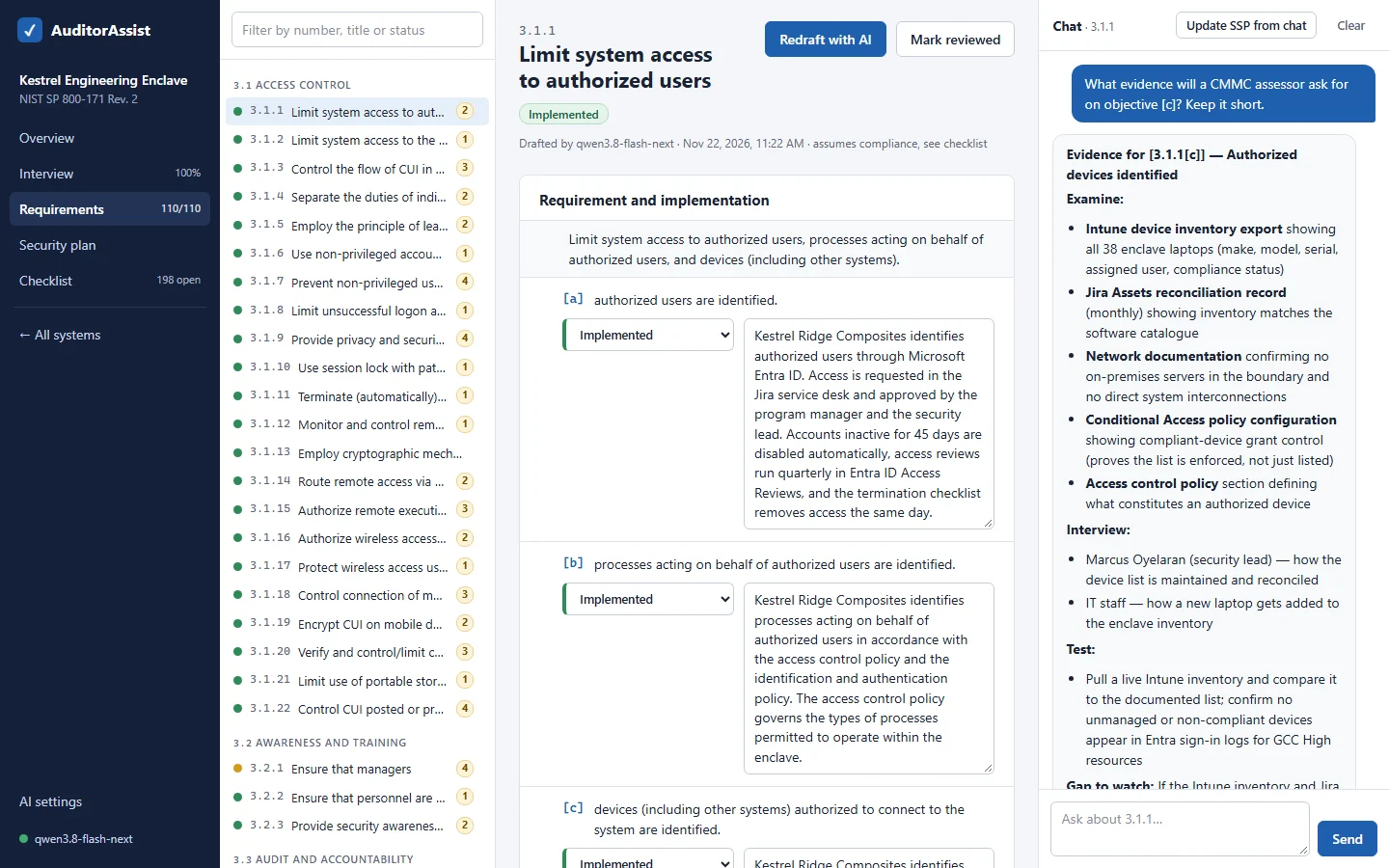
AuditorAssist showing CMMC requirement 3.1.1 with a drafted response for each assessment objective and the AI chat listing the evidence an assessor will ask for.
What you get

Every requirement answered, item by item

An assessor scores each assessment objective separately, so AuditorAssist drafts a response for each one. Anything the draft takes for granted becomes a checklist task rather than a silent assumption.

3.1.1 Limit system access to authorized usersImplemented
[a]authorized users are identified.Implemented Kestrel Ridge Composites identifies authorized users through Microsoft Entra ID; access is requested in the service desk and approved by the program manager and security lead.
[b]processes acting on behalf of authorized users are identified.Implemented Service principals and application registrations are inventoried in Entra ID and reviewed quarterly.
[c]devices authorized to connect to the system are identified.Implemented Only Intune-enrolled, compliant laptops can reach the enclave, enforced by Conditional Access.
Confirm the Intune compliance policy blocks unenrolled devices from GCC High, and keep the policy export as evidence.

From the fictional Kestrel Ridge sample included below.

How it works

From a blank page to an exported plan

Answer the interview

Seven short sections cover the system, its boundary, identity and access, infrastructure, monitoring, people and policies. Most questions are pick-lists.

  • AI enhance turns a rough system description into a proper one after asking you a few questions.
  • The AI then asks follow-up questions about anything your answers leave open.
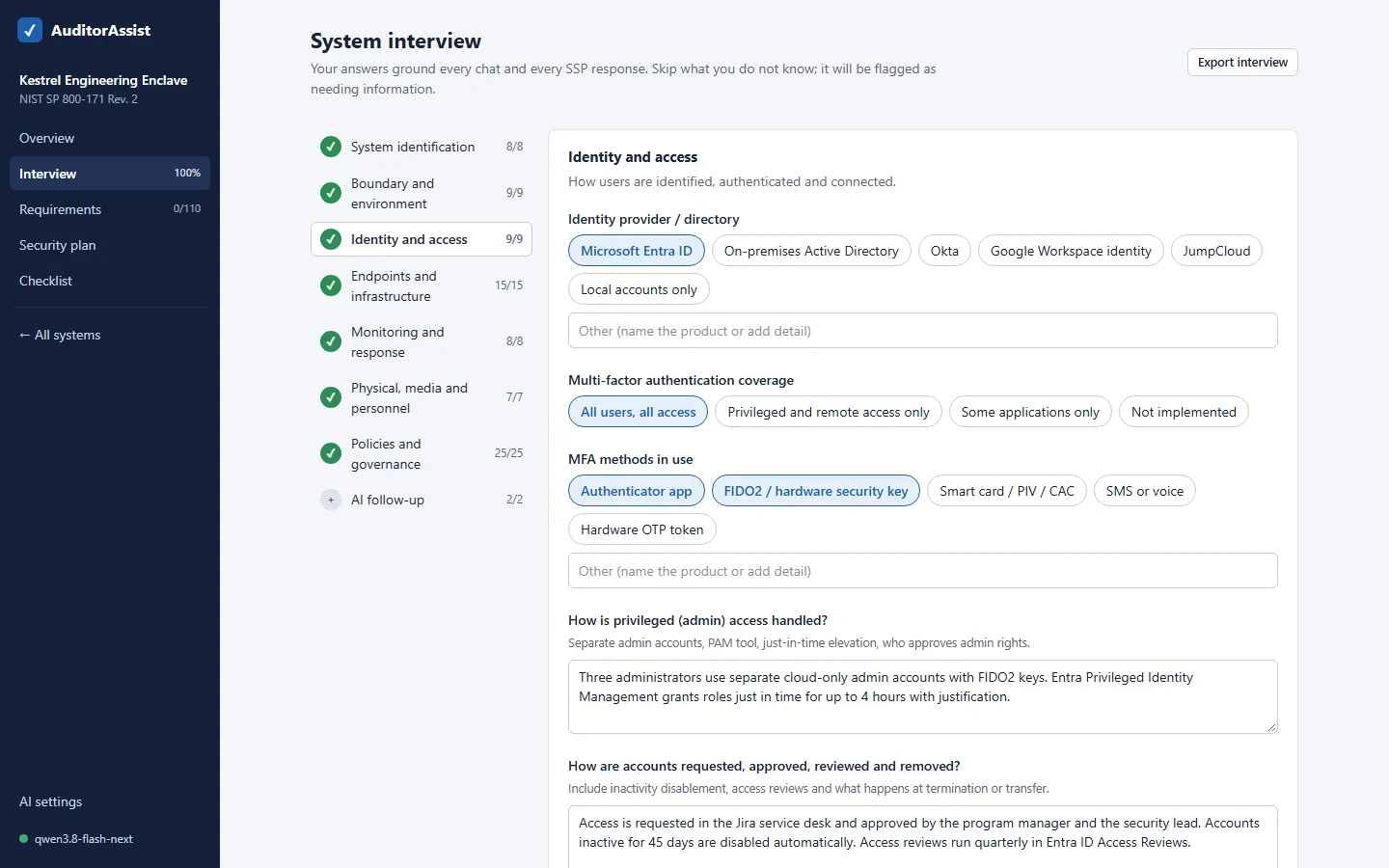
The interview's identity and access section with multiple-choice answers selected.

Draft the whole plan

One button drafts every requirement in scope. By default the AI assumes documented policies say what the requirement needs and scheduled reviews happen, unless your answers say otherwise, and records each assumption as a task.

  • Explicit gaps in your answers ("None", "Draft", "not tested") are never claimed as implemented.
  • A strict mode claims only what you stated.
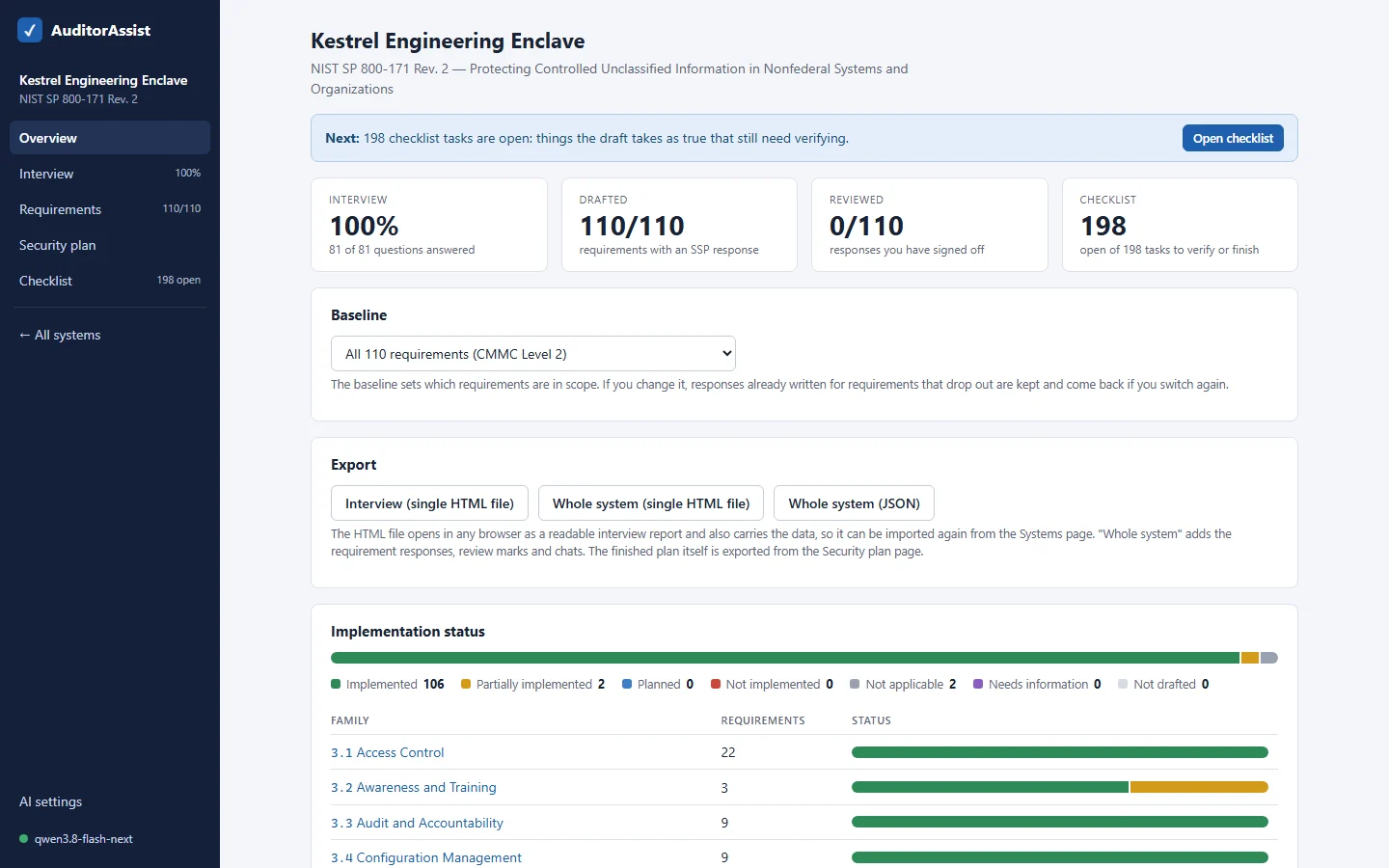
Overview of a fully drafted CMMC Level 2 system: 110 of 110 requirements drafted, 106 implemented, 198 checklist tasks open.

Talk through each requirement

Every requirement has its own chat that knows the NIST text, the assessment objectives, your interview and the current response. Ask what evidence an assessor will examine, where the gaps are, or how to word a statement.

  • Update SSP from chat folds what you said back into the response.
  • Every response stays editable by hand.
A requirement page with objective-level responses and a chat answer listing examine, interview and test evidence.

Work the checklist

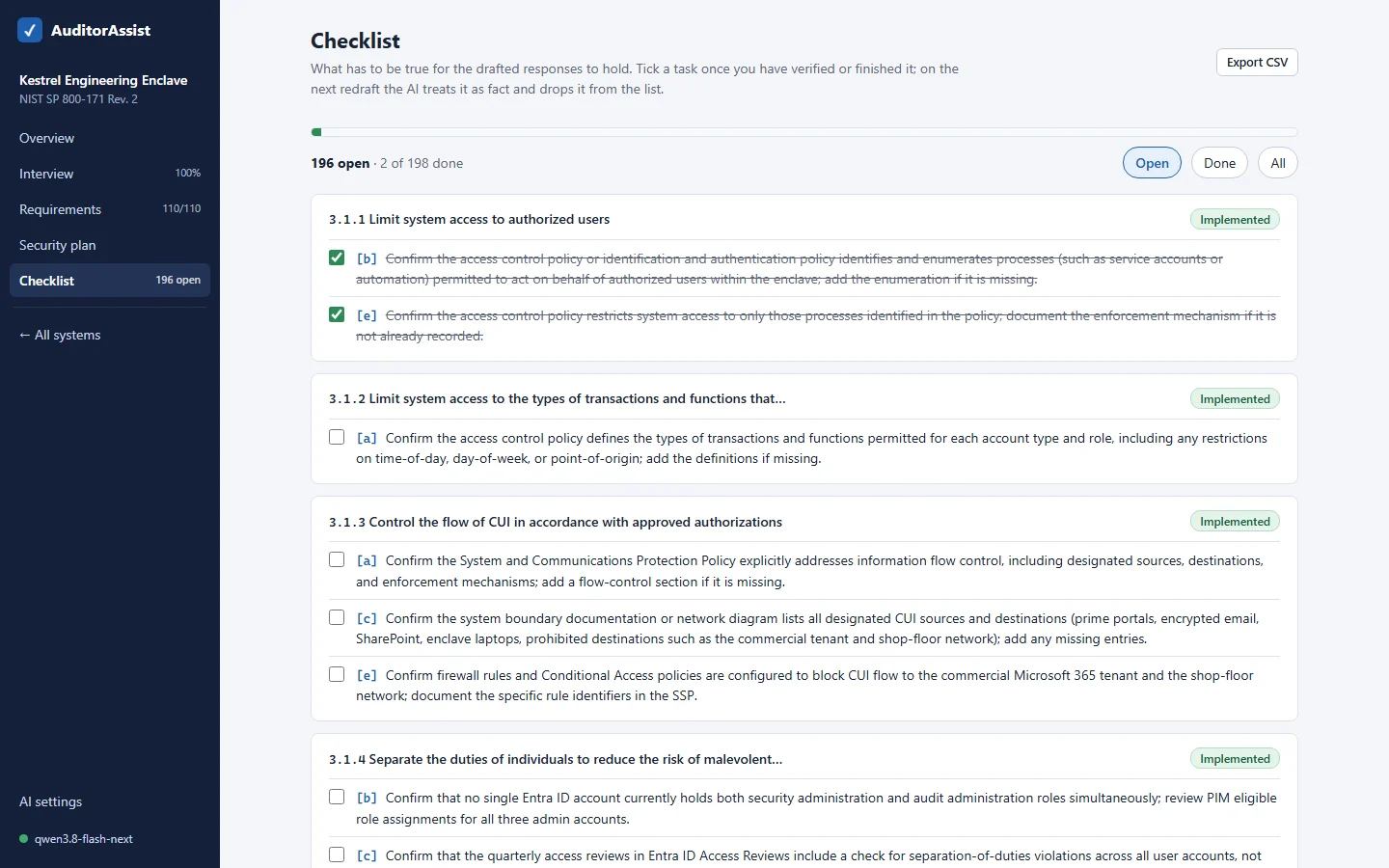
The checklist collects everything the drafts rely on that you still need to confirm or finish, grouped by requirement. Tick a task once it is true and the next redraft treats it as fact.

  • Export it as CSV for your POA&M or ticketing system.
  • The plan itself marks statements that still rest on open tasks.
The checklist page with open and completed verification tasks grouped by requirement.

Export the plan

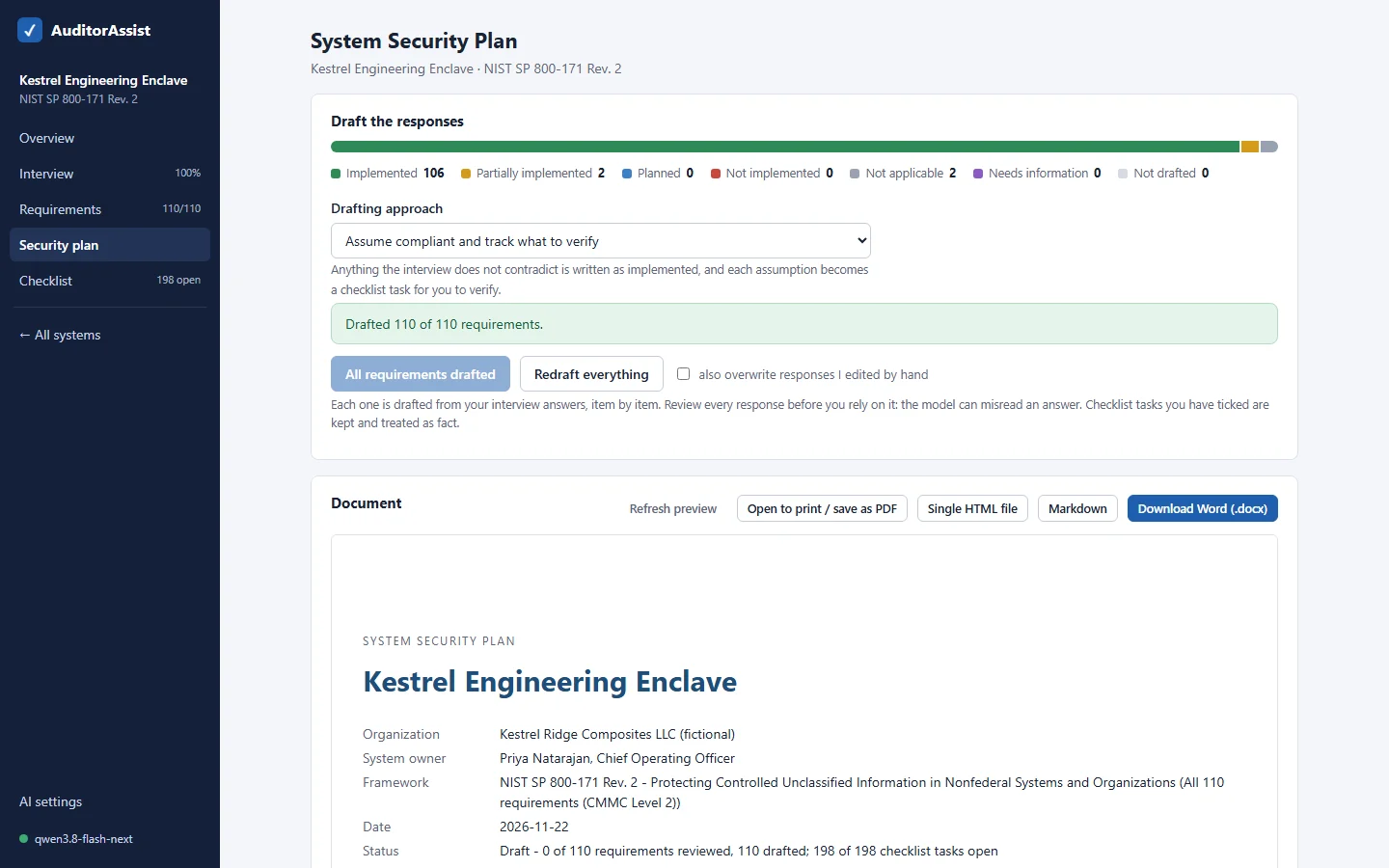
Preview the System Security Plan in the app and download it as Word, Markdown or a single HTML file you can print to PDF. It includes the system description, an implementation summary, every response, organization-defined parameter values, open items and the compliance checklist.

The security plan page with export buttons and a preview of the generated document.
Frameworks

Six frameworks, from official NIST and FedRAMP data

Requirement text, assessment objectives and parameters are converted from NIST's machine-readable publications and FedRAMP's machine-readable rules, not retyped.

FrameworkWhat you respond toScopes you can choose
NIST SP 800-171 Rev. 2110 requirements, answered per assessment objective (320)CMMC Level 2 (all 110), CMMC Level 1 (17, FAR 52.204-21)
NIST SP 800-171 Rev. 397 requirements, 263 items, 88 parameters with suggested starting valuesAll requirements
NIST SP 800-172 (Feb. 2021)35 enhanced requirements, answered per objective (103)CMMC Level 3 (24), all 35
NIST SP 800-172 Rev. 3103 enhanced requirementsAll requirements
NIST SP 800-53 Rev. 5.2.01,014 controls and enhancements with SP 800-53A proceduresLow, Moderate, High, Privacy; FedRAMP Rev5 Class B, C, D; full catalog
NIST CSF 2.0106 outcomes with NIST's implementation examplesAll outcomes (produces a Current Profile)
  • FedRAMP classes follow the FedRAMP Consolidated Rules for 2026, with FedRAMP's assigned parameter values and control guidance applied.
  • CMMC Level 3 fills in the DoD parameter values from 32 CFR 170.14 that could be confirmed exactly, and points you to the regulation for the rest.
  • The interview adapts: CUI frameworks ask about CUI, SP 800-53 asks about FIPS 199 categorization and authorization, and CSF asks general questions.
Privacy and cost

Your plan never leaves your browser, except to your AI

Runs locally

AuditorAssist is one HTML file. Open it and it runs in your browser with no server and no account. Systems are kept in that browser's storage on your computer.

Talks only to your AI provider

The only network calls go to the AI endpoint you configure: Vultr Serverless Inference, or another OpenAI-compatible endpoint that accepts browser requests. You choose the model from the provider's list.

Free, with your own key

The app costs nothing. AI calls are billed by your provider to your own API key, at its rates. The key is stored in your browser, and you can remove it with one click.

Export to back up or move

Clearing site data or switching browsers starts empty. Export a whole system as a single HTML or JSON file and import it anywhere.

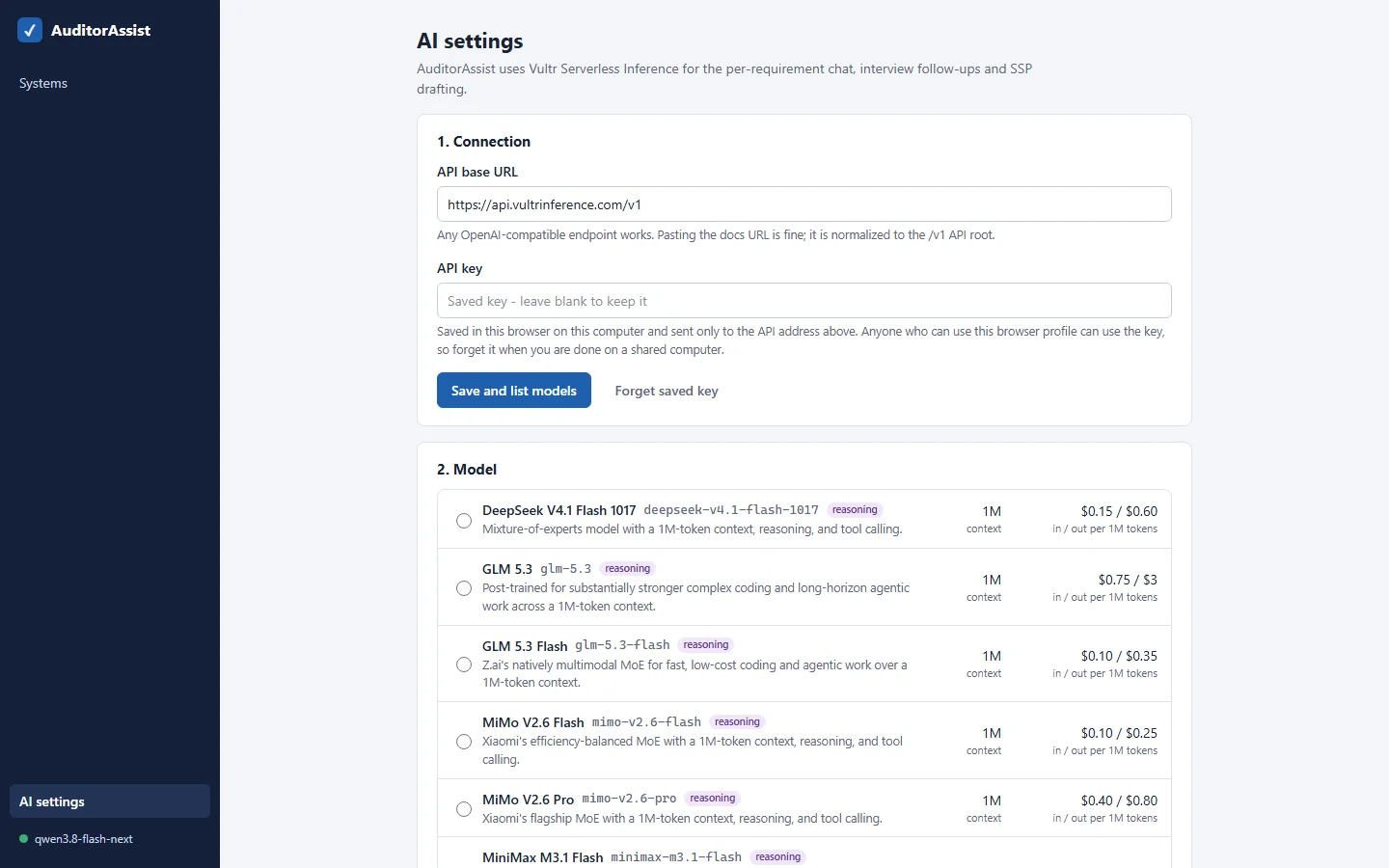
AI settings: API address, saved key and a list of models with context size and price per million tokens.
Get started

Five minutes to your first draft

Use a current Chrome or Edge. Other modern browsers should work too, but those two have been tested.

  1. Download the file and double-click it.It opens in your browser. Keep the file wherever you like.
  2. Open AI settings and paste your API key.Press Save and list models, then pick a model. Smaller, faster models work well for drafting.
  3. Import a sample, or create your system.Choose the framework and scope, such as CMMC Level 2 or a FedRAMP class.
  4. Answer the interview.Skip what you don't know. Answers save as you type.
  5. Draft, review and export.Draft the plan, work through the checklist, mark each requirement reviewed, then download the document.
Samples

Completed interviews to try it with

Each sample is a fully answered interview for a made-up company. Open one in a browser to read it, or import it into AuditorAssist from the Systems page and draft the plan.

CMMC Level 1Brightwater Fasteners14-person machine shop handling FCIDownload
CMMC Level 2 · 800-171 Rev. 2Kestrel Ridge CompositesDrone airframe parts, GCC High enclaveDownload
800-171 Rev. 3Halvorsen Signal LabsNavy RF antenna design, on-premises enclaveDownload
CMMC Level 3 · 800-172Ironbark Defense SystemsGuidance firmware, isolated enclave, 24/7 SOCDownload
800-172 Rev. 3Corvid MicroelectronicsRadiation-hardened chip designDownload
800-53 ModerateNorthfield Federal Research OfficeGrantLedger grants system (fictional agency)Download
FedRAMP Rev5 Class CTessellate CloudCaseFlow case-management SaaSDownload
CSF 2.0Quillfeather LearningK-12 writing-feedback SaaSDownload
Before you rely on it

What AuditorAssist is not

Not an assessor

Drafts are a starting point. Models can misread an answer or add detail you never gave, so read every response and mark it reviewed before anyone relies on it.

Not official guidance

AuditorAssist is not affiliated with NIST, the Department of Defense, FedRAMP or any AI provider. Suggested parameter values for SP 800-171 Rev. 3 are starting points, not the DoD's official values.

Not a records system

Data lives in one browser. Export regularly, and don't share a computer's browser profile with someone who shouldn't see your plans or use your AI key.